October 12, 2026
How to Choose the Right Network Storage Array for Your Data Center
By @networkstoragearraynotes
When I started working with enterprise storage systems, the sheer variety of options felt overwhelming. Servers, direct-attached shelves, and then all the acronyms: DAS, NAS, SAN. It took me a few years of hands-on deployment and a few painful lessons to really understand what matters when you are selecting a network storage array for a data center. The choices you make here affect performance, cost, and how easily you can grow later.
This article shares what I have learned from real projects: how to think about interfaces, drive types, controller redundancy, and the role of the server platform itself. I will focus on what actually makes a difference in production, not what looks good on a spec sheet.
Understanding the Role of a Network Storage Array
A network storage array is a dedicated enclosure that holds multiple drives and connects to one or more servers over a network or direct cabling. In a data center, it is the backbone for shared data, virtual machine storage, and backup targets. The key difference between a simple DAS shelf and a proper array is intelligence: a good array handles RAID calculations, caching, and connection management so the host server can focus on applications.
Most arrays today support SAS, SATA, or NVMe drives. SAS and SATA are still common for bulk storage, while NVMe is taking over for high-speed workloads. The choice of drive type directly affects how you plan your storage tiers. For example, in a recent project for a media company, we used a mix of NVMe for the hot tier and large HDDs for archival, all inside the same array chassis. That flexibility is what makes a modern network storage array so valuable.
Interfaces: Fibre Channel, iSCSI, and SAS
The connection between the array and the host is critical. Fibre Channel was the gold standard for years, offering dedicated, low-latency storage networking. I have installed many Fibre Channel arrays in financial services environments where every millisecond counted. But Fibre Channel requires separate switches and adapters, which adds cost and complexity.

iSCSI changed the game by running storage traffic over standard Ethernet. You can use your existing network infrastructure, but you need to plan for enough bandwidth and low latency. In one deployment, we underestimated the switch load and had to add dedicated iSCSI VLANs to isolate storage traffic. That worked, but it was a lesson in careful design.
For direct-attached scenarios, SAS cabling is simpler and very reliable. Many Lenovo ThinkSystem storage arrays use SAS connections to the host, which keeps latency low and configuration straightforward. The trade-off is that SAS limits the distance between the array and the server, so it works best in the same rack or adjacent racks.
RAID Levels: Still Relevant
RAID is not dead. Even with all-flash storage, RAID provides a safety net against drive failure. The most common choices are RAID 5, 6, and 10. RAID 5 gives you good space efficiency with single-drive fault tolerance, but rebuild times on large HDDs can be long. RAID 6 adds a second parity drive, which I prefer for arrays with 12 or more HDDs. RAID 10 gives the best performance for write-intensive workloads, at the cost of half your raw capacity.
In a recent project using ThinkSystem arrays, we used RAID 6 for the main data pool and RAID 10 for the database log volumes. That combination balanced safety and speed. The array controller handled all the parity calculations, so the host CPUs were free to run the database software.
Controllers and Redundancy
One of the most important features in a network storage array is controller redundancy. A single controller is a single point of failure. Dual controllers with automatic failover keep your data accessible even if one controller fails. I have seen a dual-controller array survive a controller firmware update gone wrong, where the active controller failed and the standby took over without the hosts noticing anything but a brief pause.
Controllers from Broadcom and QLogic are common in enterprise arrays. Lenovo ThinkSystem arrays often use Broadcom-based controllers, which have mature driver support and good management software. When you evaluate an array, check if the controllers support non-disruptive firmware upgrades. That feature alone can save you a maintenance window.
Drive Choices: HDD, SSD, NVMe
The drive type you choose shapes the entire performance profile. HDDs are still the most cost-effective for large capacities. I have deployed arrays with 16 TB NL-SAS drives for backup targets and archival storage. The low cost per terabyte is hard to beat.
SSDs, especially SAS and SATA models, offer much better random I/O performance. They are ideal for virtual machine stores and database indexes. NVMe drives, connected directly via PCIe, deliver the highest throughput and lowest latency. In a recent project for a research lab, we used NVMe drives in a ThinkSystem array to handle real-time data ingestion. The array handled 2 million IOPS without breaking a sweat.
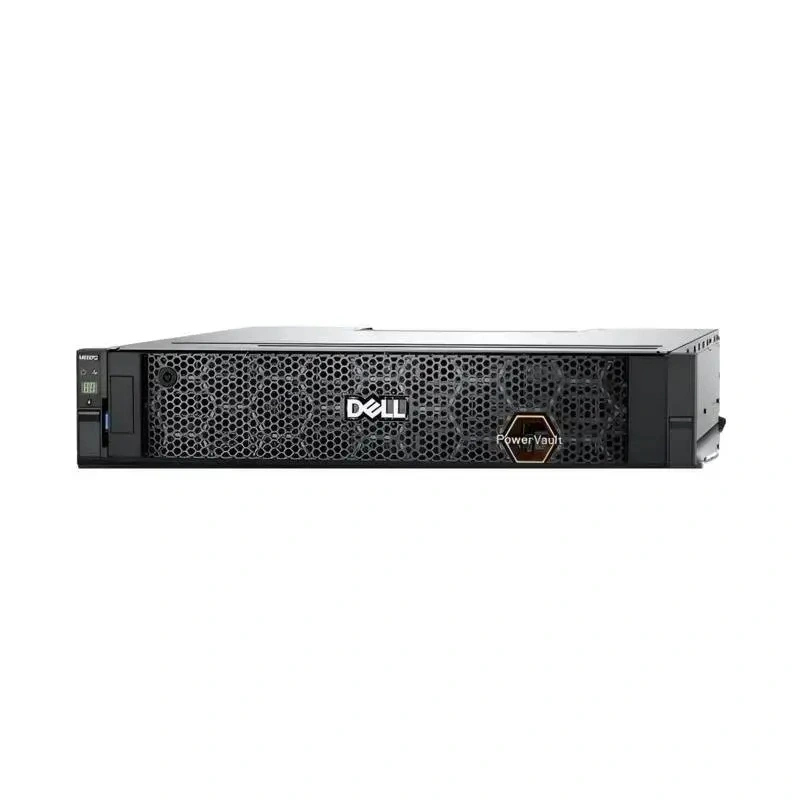
Mixing drive types in the same array is possible if the controller supports it. Some arrays let you create different drive groups with different RAID levels. That is a powerful way to tier your storage without buying a separate array for each tier.
Server Platforms and Compatibility
Not all servers work equally well with all arrays. Compatibility matters more than you might think. I have seen cases where a Dell server would not boot from an HPE array because of firmware handshake issues. Lenovo ThinkSystem servers and ThinkSystem storage arrays are designed together, so they tend to work without surprises. But the industry is full of standards, so most combinations work if you do your homework.
Intel and AMD servers both support standard storage interfaces. Intel-based systems often have better support for Optane caching, but that is less relevant with modern NVMe arrays. AMD EPYC platforms offer high core counts and PCIe lanes, which can help when you connect multiple arrays to the same server. In one build, we used a Supermicro server with an AMD EPYC processor and a Lenovo array. The combination worked well, but we had to update the array firmware to the latest version for proper PCIe 4.0 negotiation.
Vendor Considerations: Lenovo, Dell, HPE, Supermicro
Each vendor has its own strengths. Lenovo ThinkSystem arrays are reliable and well-supported in mixed environments. Dell offers the PowerVault line, which integrates tightly with Dell servers. HPE has the MSA series, known for good management software. Supermicro builds cost-effective arrays that are popular in budget-conscious data centers.
In my experience, the most important factor is not the brand but the support ecosystem. If you already have Lenovo servers, a Lenovo array will simplify cabling, firmware management, and support calls. If your team is familiar with Dell OpenManage, a Dell array will fit your workflow. The same logic applies to HPE and Supermicro.
I once worked at a site that mixed Dell servers with an HPE array and a Supermicro JBOD. Every time we updated firmware on one component, we had to test all the other components. It worked, but it was more work than it needed to be. Standardizing on one or two vendors reduces that friction.
Real-World Example: A Media Archive Project
Let me walk through a project that illustrates the decisions involved. A media company needed to store thousands of hours of high-resolution video. They wanted fast access for editing and long-term archival. We chose a Lenovo ThinkSystem array with dual controllers and 24 drive bays. We filled 18 bays with 14 TB HDDs in RAID 6 for the main archive, and 6 bays with NVMe drives in RAID 10 for the active editing pool.
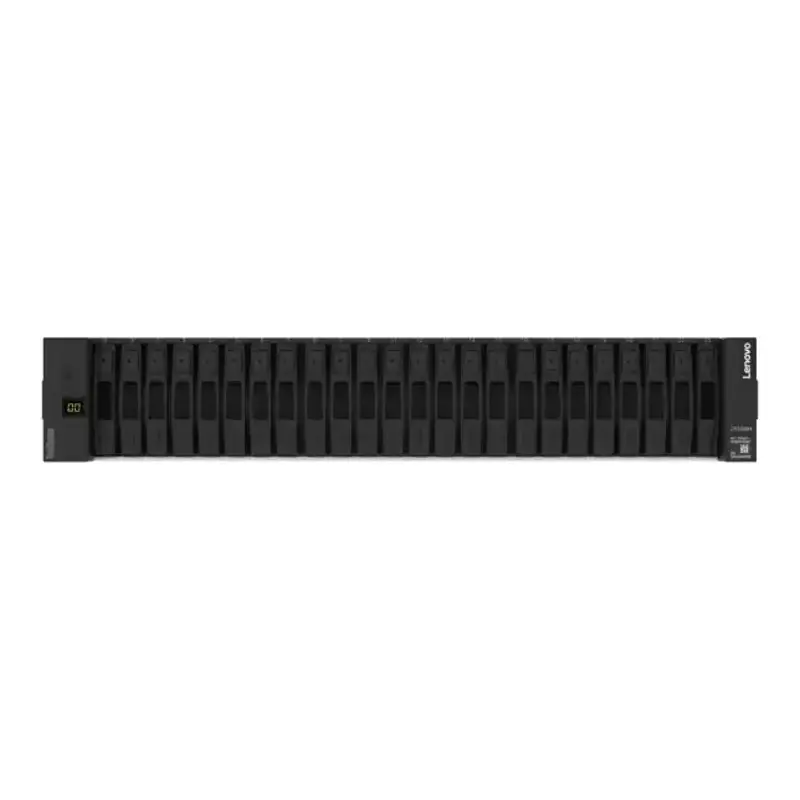
The array connected to the editing servers via Fibre Channel, which gave us the consistent bandwidth needed for 4K video streams. The archive pool used iSCSI over a dedicated 10 GbE network. That setup has been running for two years with only one drive failure, which the array handled transparently. The editors never even noticed.
This project taught me that a well-planned network storage array can serve multiple purposes. It does not have to be a single-purpose box. With the right controller and drive configuration, you can have a fast tier and a deep tier in one chassis.
Key Takeaways
- Match the interface to your network: Fibre Channel for dedicated low latency, iSCSI for convergence with Ethernet, SAS for simple direct attach.
- Use dual controllers for production arrays. The extra cost is small compared to the cost of unplanned downtime.
- Choose drives based on workload: NVMe for high IOPS, SSD for balanced performance, HDD for capacity.
- Plan for at least one drive failure. RAID 6 for large HDD arrays, RAID 10 for write-intensive workloads.
- Stick with one or two vendors to reduce integration headaches and support complexity.
Selecting a network storage array is a decision that affects your data center for years. Take the time to understand your workloads, your network infrastructure, and your team's expertise. A good array will serve you quietly for a long time. A bad fit will cause problems that are expensive and time-consuming to fix. I have made both choices, and I would rather spend extra time upfront than scramble later.
❧